
Platform
One platform to create, operate and connect every screen.
Layarva combines content creation, screen management, hybrid playback, queue operations and system integration in one connected platform.
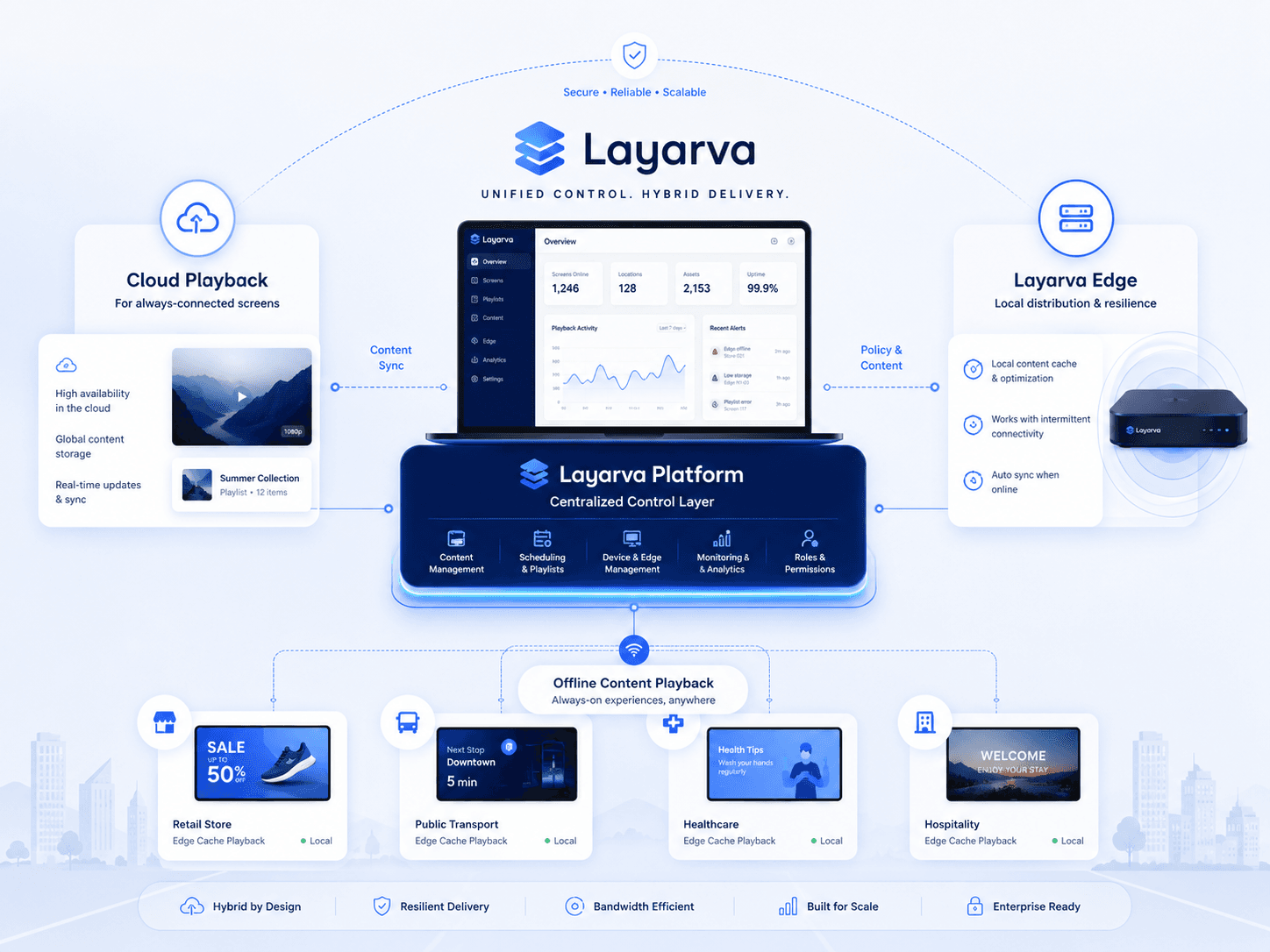
Five pillars
Create. Play. Manage. Queue. Connect.
Create
Studio, templates, widgets and the media library — the tools that turn an idea into a screen layout.
Play
Cloud, Edge and Offline. Three ways to get content onto a screen, chosen per deployment.
Manage
Screens, playlists, schedules, publication and monitoring, from one workspace.
Queue
Kiosk, operators and queue displays — part of the same platform, not a separate product.
Connect
Public API, custom widgets and business data, so a screen can show what your systems know.
Content operations
From creation to playback in one workflow.
Nothing has to leave the platform and come back. Each stage hands its output to the next.
Create
Manage
Deliver
Operate
Connect
Publishing
A publish you can undo.
Screens run unattended in places nobody is watching. What goes onto them has to be reversible.
Immutable versions
Every publish creates a version that does not change underneath a running screen.
Rollback
Return to any previous valid publication when a change turns out to be wrong.
Publishing policy
Decide who may publish to which screens, on plans where publishing policy is available.
Approval workflow
Route a publication for review before it reaches a screen, where the plan includes it.
Delivery
Cloud. Edge. Offline.
Pick the model per site. A head office on fibre and a branch on a shared 4G router do not have to be run the same way.
Cloud signage
Screens are managed and receive content through Layarva Cloud. The simplest way to run a connected site.
Layarva Edge
A local hub that synchronizes with the cloud and distributes content across the screens on its own network.
Offline signage
Content prepared in Layarva and exported for playback where there is no permanent connection.
Reliability
Built for continuous playback.
Automatic offline cache
Assets a player needs are stored locally rather than fetched again for every play.
Last Known Good
A publication that cannot be validated does not replace one that is already working.
Screen heartbeat
Players report in, so a screen that has gone quiet is visible in the dashboard rather than discovered by a visitor.
Reconnect and reconcile
When the network returns, the player checks what it should be showing and catches up.
These behaviours depend on the deployed player or Edge configuration. Offline playback does not mean every cloud management function remains available without connectivity.
Why it is different
More than a media player with a schedule.
| Traditional signage | Layarva |
|---|---|
| Mostly cloud dependent | Cloud + Edge + Offline |
| Upload an image or a video | Full Studio canvas |
| A simple media player | A managed screen platform |
| Queue needs another product | Integrated queue management |
| Rigid queue displays | Queue displays designed in Studio |
| Static signage | Widgets and data-driven content |
| Integration on premium tiers only | Public API across all plans |
See it running on your own use case.
Start free on one screen, or bring us the deployment you are planning.